
Attribution models
The five ways Attribution can split a conversion's credit among the visits before it, shown on one visitor, and how to choose
A conversion usually has more than one visit before it. The Attribution Model is the rule that decides how much of that conversion, and of its revenue, each of those visits earns. Attribution has five models. The model is a setting of your view, switched in the control bar at any time; nothing is recalculated destructively, the same visits and conversions are simply split another way.
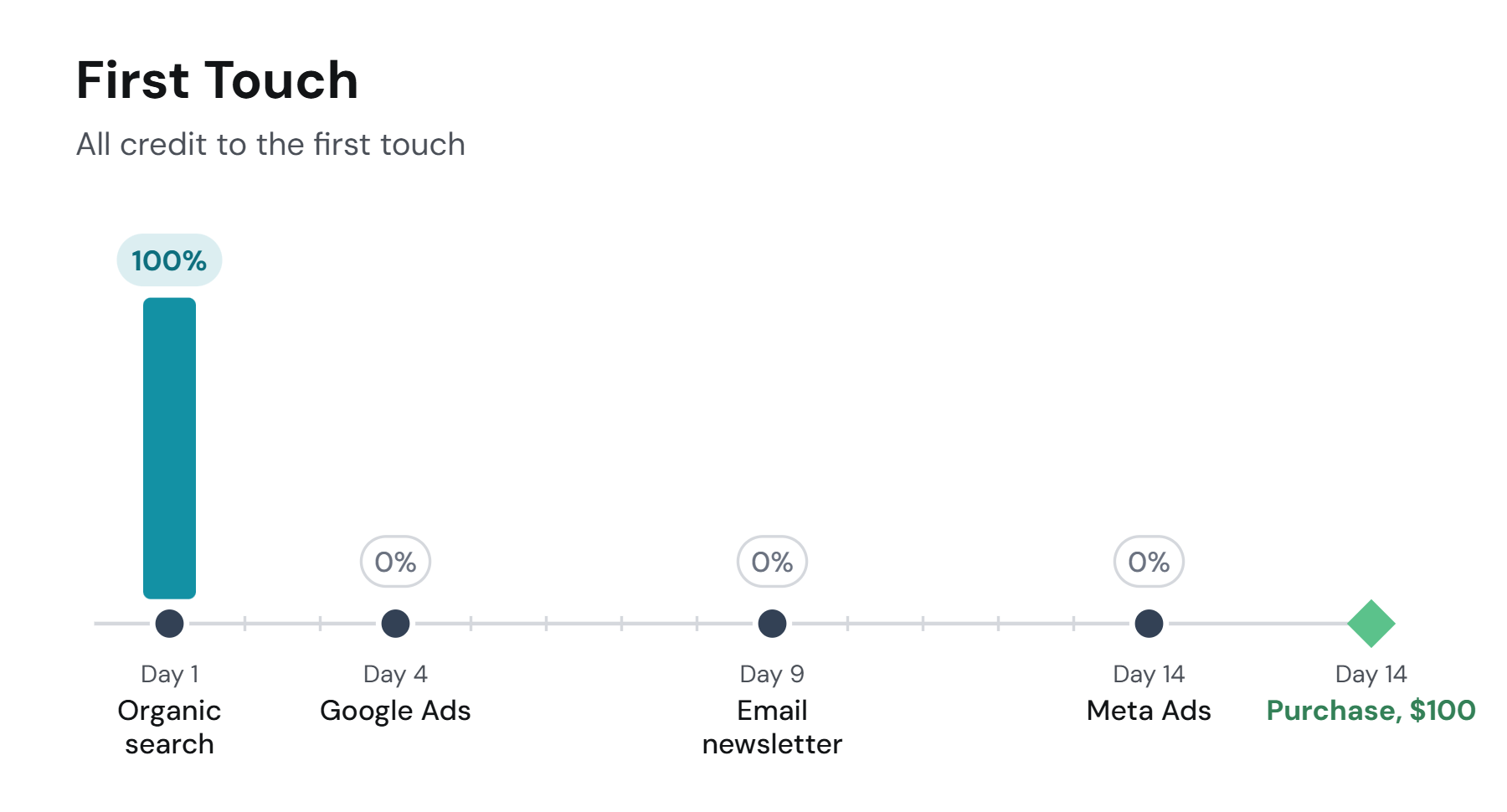
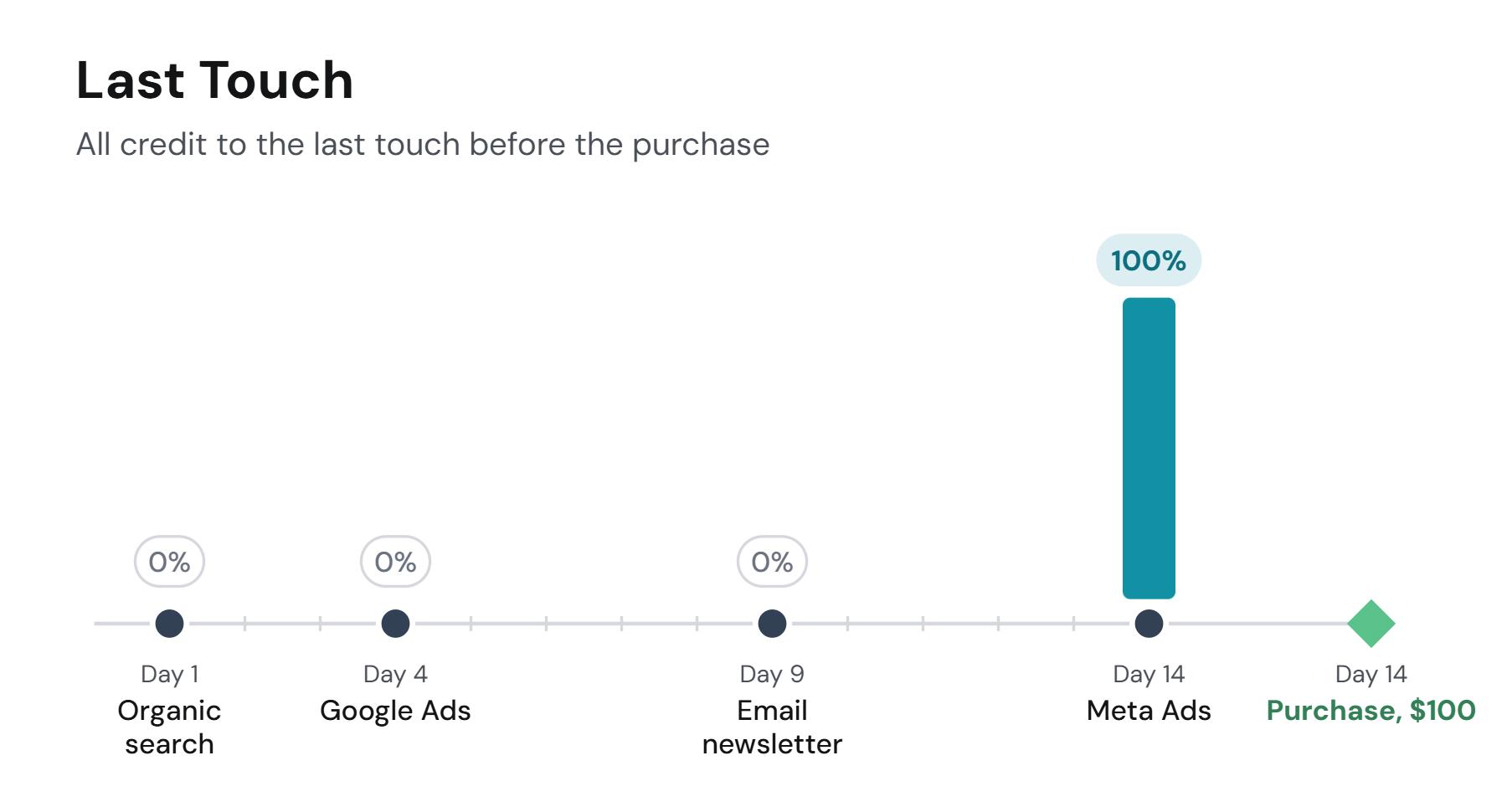
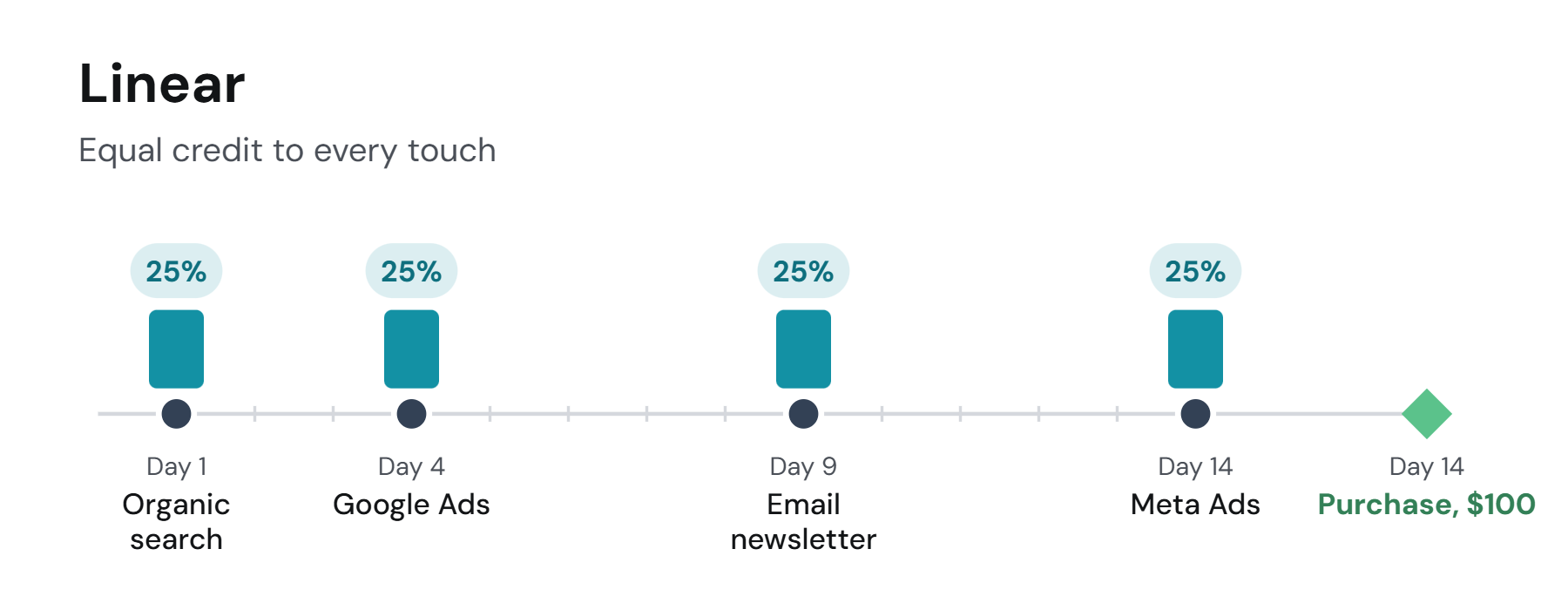
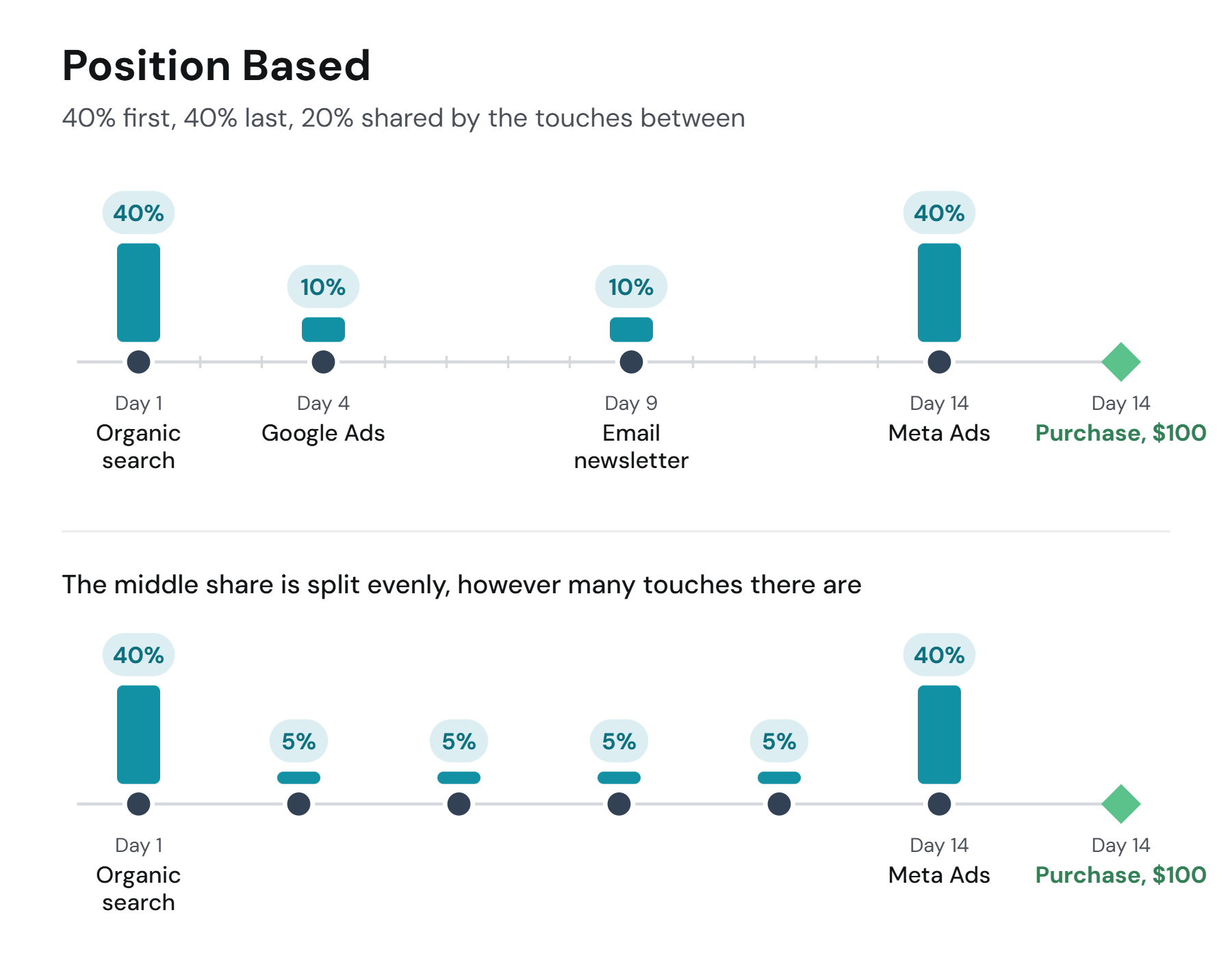
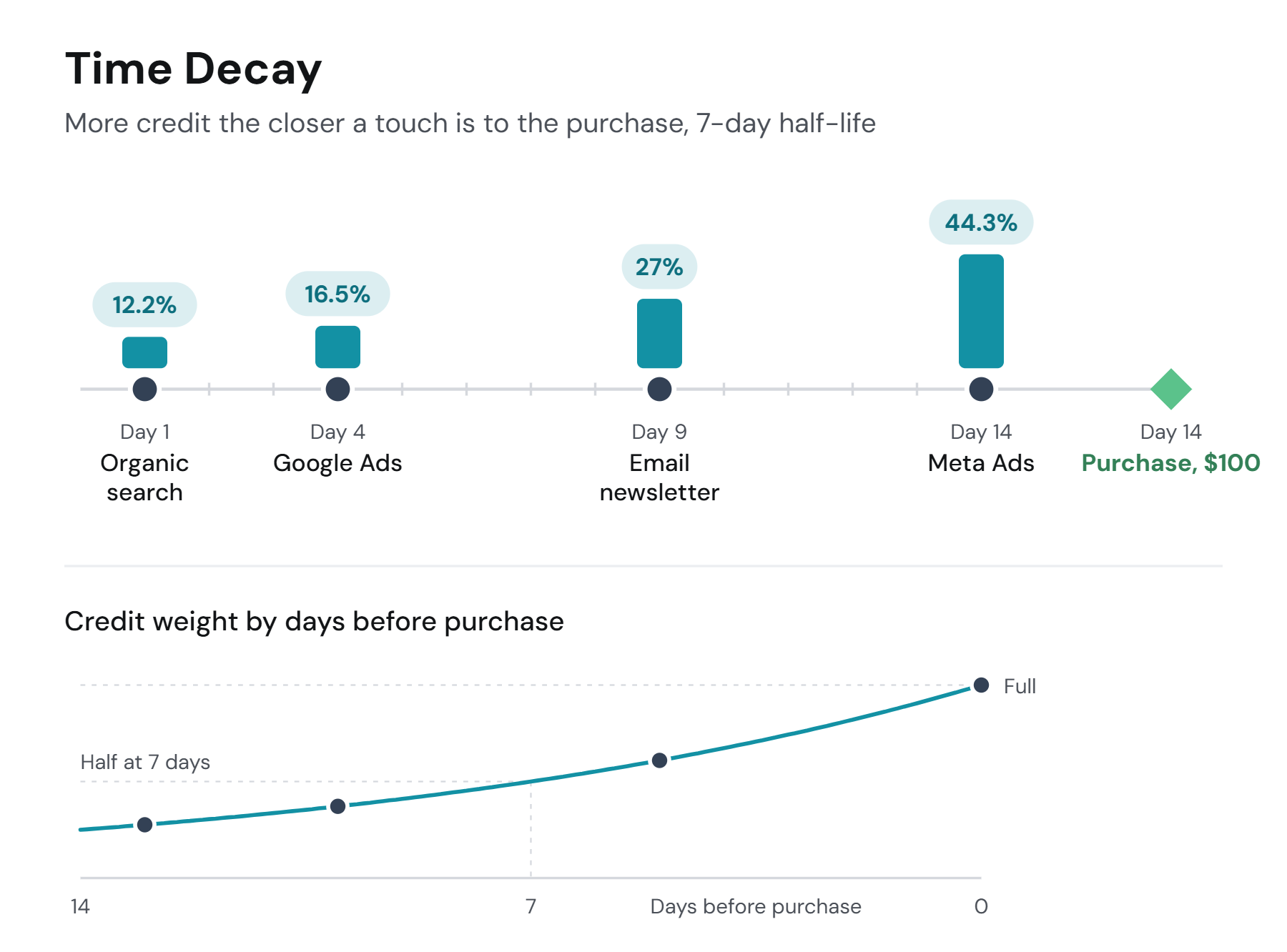
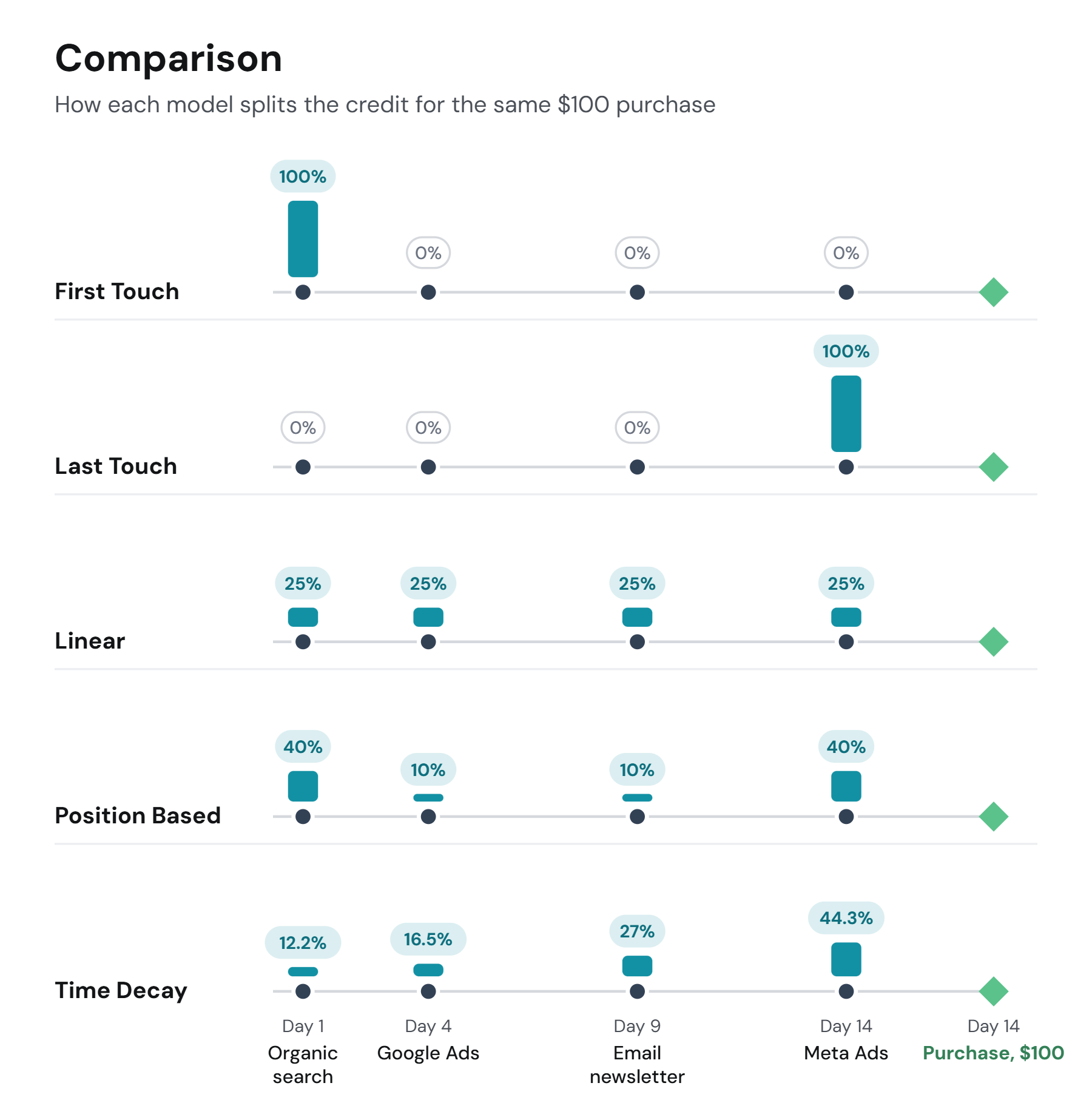
The diagrams below follow one visitor: an organic search on day 1, a Google Ads click on day 4, a newsletter click on day 9 and a Meta Ads click on day 14, then a $100 purchase. Five models, five answers to "who earned the $100"; the last section puts them side by side.
First Touch
All the credit goes to the first visit of the journey. First Touch answers "what brings new people in", and suits top-of-funnel questions: which channels start the journeys that end in sign-ups or purchases.
Read more on the blog: First-Touch Attribution: When to Use It + How to Optimize.
Last Touch
All the credit goes to the last visit before the conversion. Last Touch answers "what closes", and suits bottom-of-funnel questions: which channel the buyer came through on the day. First and Last Touch are single-touch models; everything in between is ignored.
Read more on the blog: Last-Touch Attribution: What It Misses + How to Fix It.
Linear
Every visit before the conversion earns an equal share: four visits, 25% each. Linear is the even-handed view of a whole funnel and a good default when you do not want to presume where the credit belongs.
Read more on the blog: Is Linear Attribution a Fair Model or a Flawed Assumption?.
Position Based
The first and the last visit earn a fixed share each, and the visits between them split the rest evenly. The default is 40% first, 40% last, 20% shared, so with two visits in the middle each gets 10%, with four each gets 5%. With only two visits the middle share is dropped and the first and last ratios are scaled up to 100%; with one visit it earns everything. You can change the ratios in Project Settings; the model is sometimes called U-shaped for the shape of the split.
Read more on the blog: Position-Based Attribution: Pros, Cons + When to Use It.
Time Decay
The closer a visit is to the conversion, the more it earns. Credit halves every seven days: a visit seven days before the purchase gets half the weight of one on the day, a visit fourteen days before a quarter. Time Decay suits short consideration cycles where the recent touches did the persuading.
Read more on the blog: Time-Decay Attribution: How to Set Up & Optimize It.
Choosing a model
Start with Linear and compare. Switching the model in the control bar re-splits the same data, so the useful habit is to read the same date range under two models and notice which channels move: a channel that is large under First Touch and small under Last Touch opens journeys but does not close them, and the reverse. Position Based is the compromise when both ends matter; Time Decay when timing does.
For the longer argument about choosing, the blog has What is Attribution Modeling in Marketing?.
Two other settings decide which visits are in line for credit at all. Traffic options decide whether direct visits take a share and whether a cutoff event ends the journey. The attribution type, Lookback Window or Marketer Spend View, decides which visits and conversions the date range puts in front of the model at all. The model only splits what those two let through.
Worked examples
For the arithmetic on a longer journey, six visits and two conversions, the examples below work through each model step by step: First and Last Touch, Linear, Time Decay and Position Based.
If you have any questions please contact [email protected].
Updated 20 days ago